Describe it. Then direct it.
Tell the built-in AI the look you want and it authors the visual live, in seconds. What comes back isn’t a locked render — it’s a real visual you go on shaping by hand.

Describe the look, and xRLive's AI builds it in seconds. Then adjust it live: move the camera, change the lighting, tweak the few controls that actually matter, and play it on any screen or render it with alpha for delivery.
Why we built this →Most software gives you a thousand ways to do everything and no clear route to the one thing you pictured. xRLive starts from the idea instead: describe it, get something real in seconds, then art-direct it with controls that were designed rather than exposed. Everything renders live, so it can listen, watch and change with the moment.
Tell the built-in AI the look you want and it authors the visual live, in seconds. What comes back isn’t a locked render — it’s a real visual you go on shaping by hand.
Each visual exposes the handful of parameters worth touching — not an inspector with a thousand fields. Move the camera, change the light, pull a slider, keyframe it over time.
A WebGPU engine renders millions of particles, shaders and 3D scenes at show framerates. Every frame is computed in the moment, so nothing is baked and anything can respond.
Frequency bands, beats and transients drive colour, motion and intensity — so the visual moves with the track instead of alongside it.
Pose, hands, face, segmentation and depth from a live camera drive the visuals, so a screen becomes something an audience is inside of rather than watching.
Run it live — frame-locked fullscreen on any display, NDI into your video chain, MTC/Art-Net timecode, OSC recall. Or render it out with alpha and drop it straight into the edit.
This is xRLive's actual operator workflow: tune a visual's properties live and the stage output responds instantly. Drag a value, pick a colour, fire a preset.
In xRLive, save any look as a preset and trigger it live — by hand or over OSC from any device on the network.
xRLive already powers experiences for global brands and cruise lines — from automated game shows to audience-powered openers.




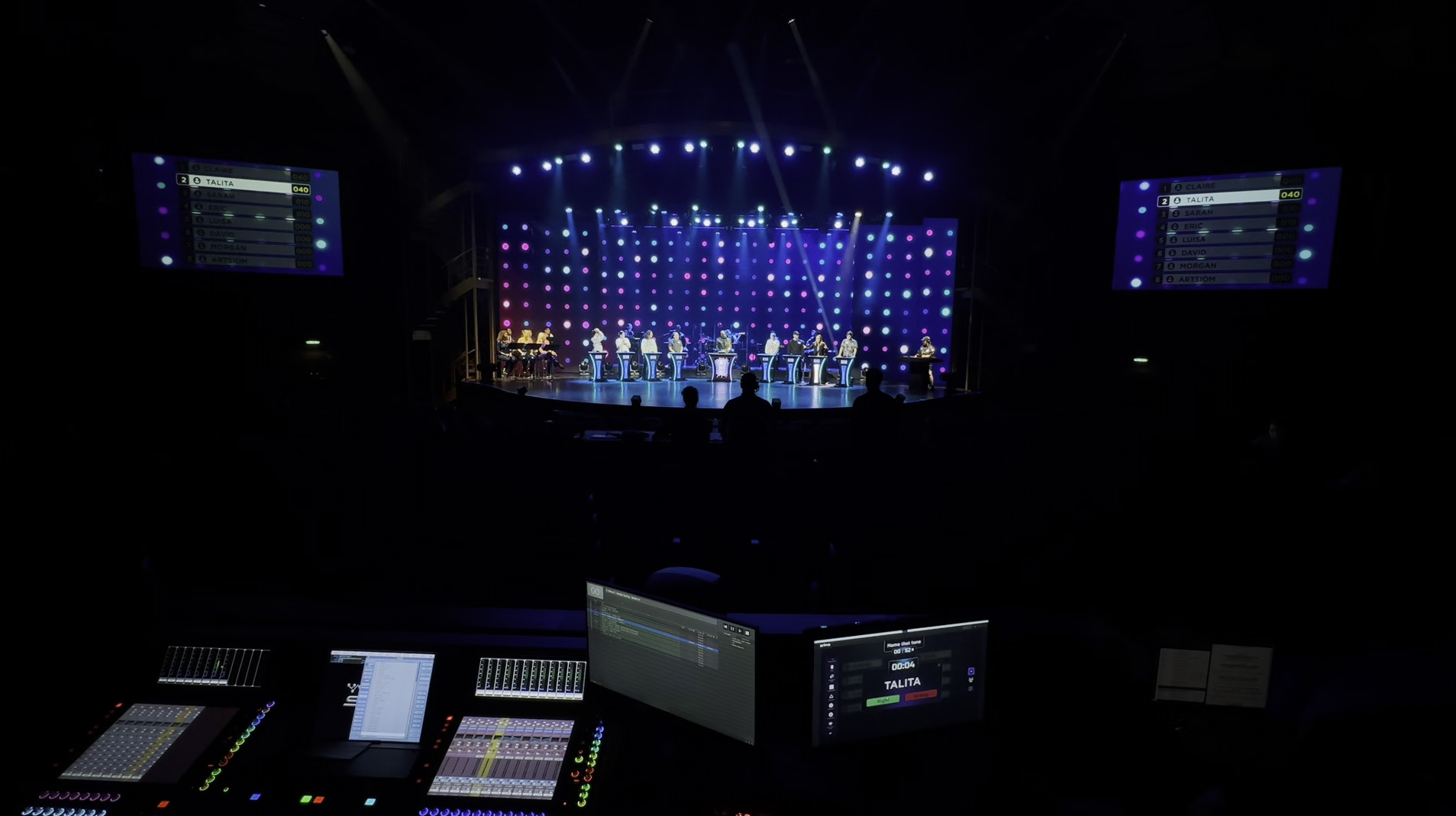 Game show
Royal Caribbean
A fully automated, one-operator music game show. Lighting, audio, scoring, podium logic, tie-breakers and 3D winner animations fire in sync — a consistent, professional show on every sailing.
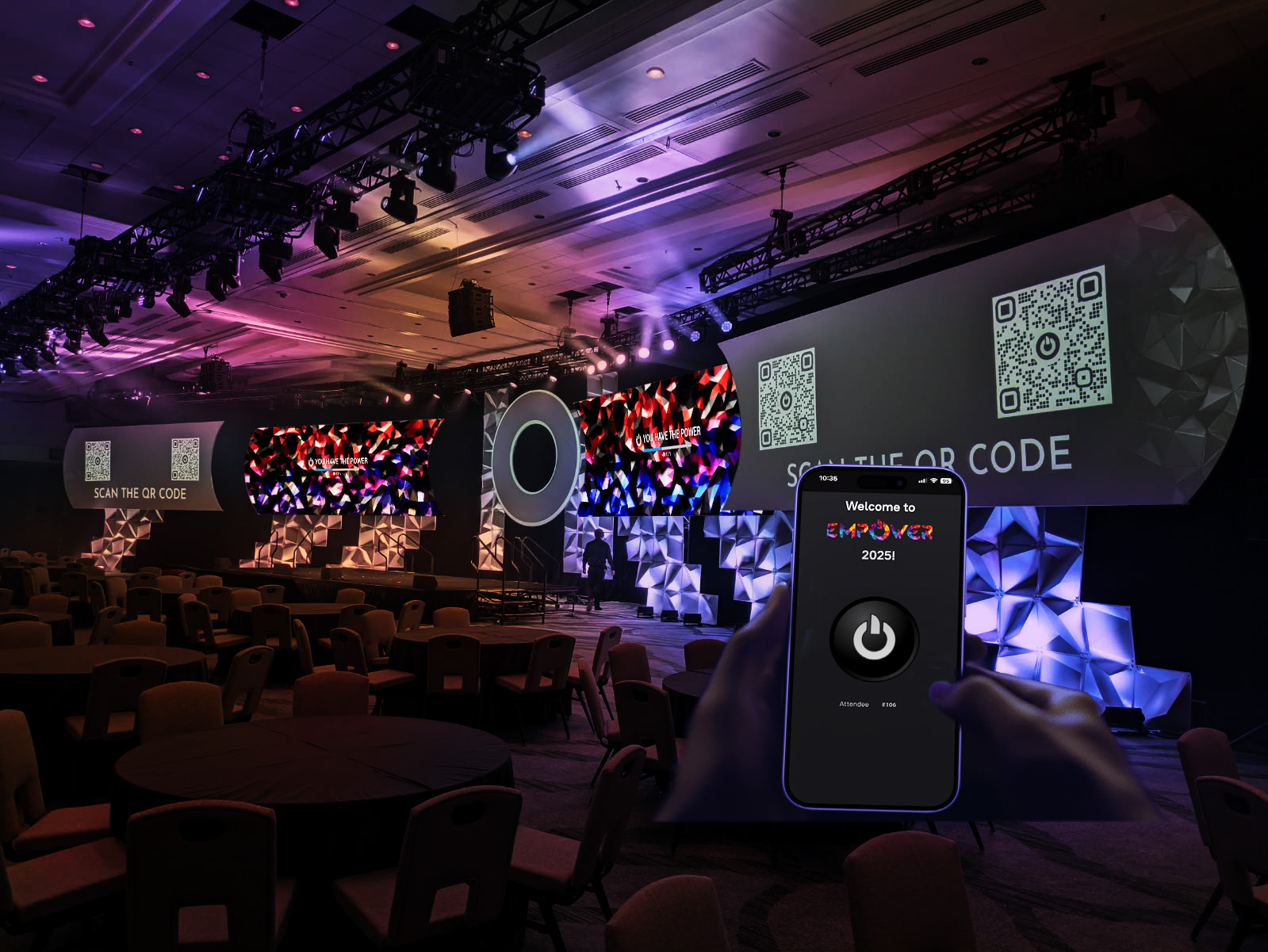 Audience experience
Merck
Attendees scanned a QR code and tapped to light a giant display. Shapes stayed lit only with collective participation — when the screen filled, xRLive triggered the opening video.
 Audience experience
Royal Caribbean
Guests join from their phones, type a prompt and see AI images appear live. They compete and vote; xRLive scores everything and crowns the winner — brand-safe with pre-seeded prompts.
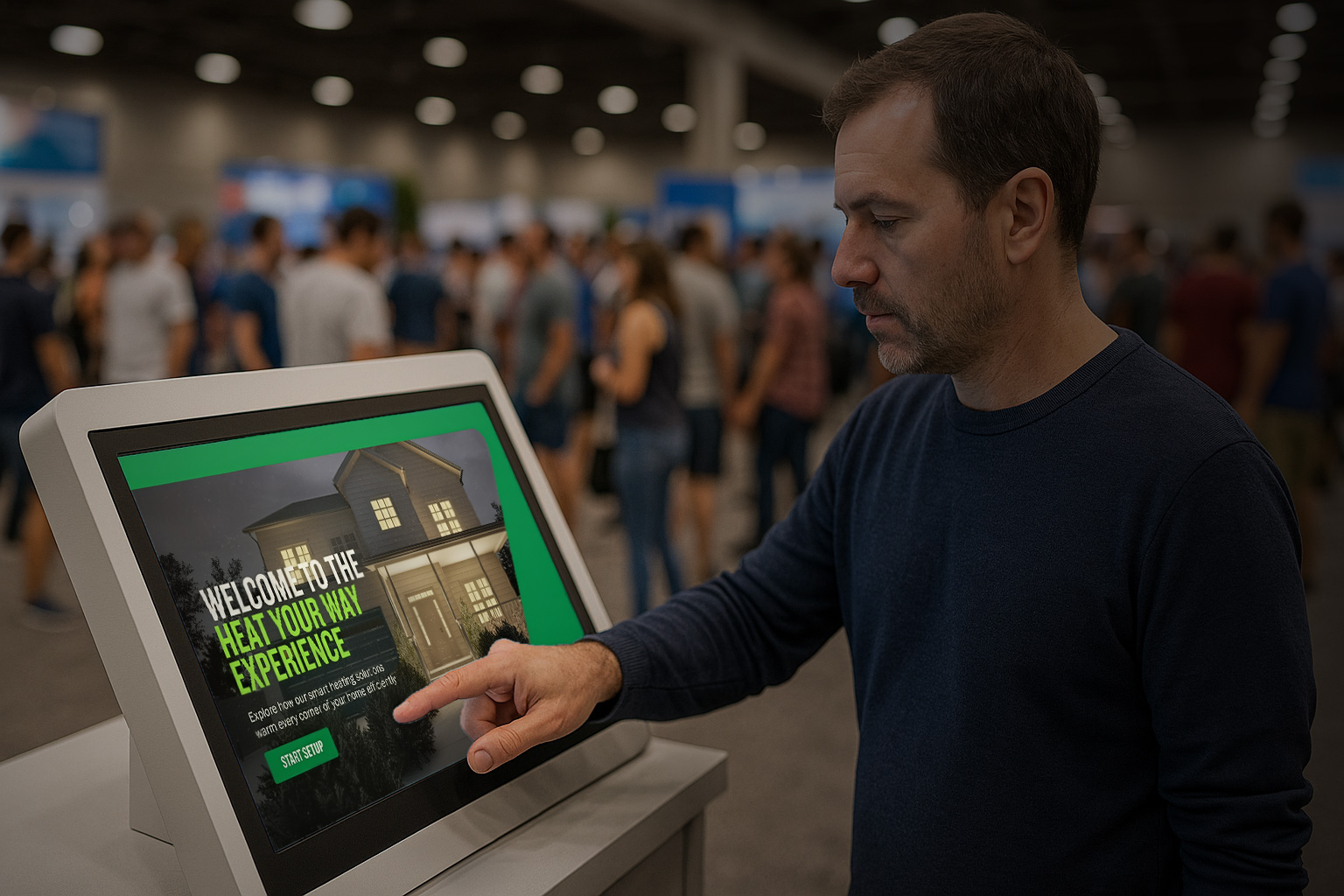 Brand activation
TACO
An interactive trade-show kiosk where guests design a home heating system with TACO products and watch it work in 3D in real time — equipment in the basement, each room warming.
The same engine flexes to every kind of live audience — from a cruise theater to a festival main stage to a corporate ballroom.
A live visuals library, one operator
Generative visuals your staff can run in any venue — plug into any screen, theme it for the night, and go.
Audio-reactive worlds on the main screen
Turn tracks into synchronised 3D worlds — visuals that lock to the beat and hit with the music, all night.
Openers and activations people remember
Branded openers, camera-driven kiosks and interactive product moments — on-theme and on-message.
Real-time graphics that react
Drive reactive graphics and big-screen moments from one operator — NDI straight into your video chain.
Show control that plays every night
Repeatable, professional shows with visuals locked to your timecode — consistent on every performance.
If it has a screen and an audience, xRLive can drive it. Download it and see for yourself.
Download & try itGenerative visuals, audio and camera reactivity, timelines and pro output integration in one plug-and-play workflow — so your team finds efficiencies instead of complexity.
Save any look as a preset and fire it live — by hand or over OSC from any console or device on the network.
Send the output over NDI into any video chain, and slave playback to MTC or Art-Net timecode so visuals stay locked to the show clock.
The operator window drives frame-locked fullscreen outputs on any display — what you preview is exactly what the stage shows.
Cue compositions with keyframes and per-parameter transitions, layer them into sequences, and bake to video when you want a rendered pass.
New versions download in the background — one click to restart and update, with full documentation kept current with every release.
Repeatable, consistent shows that fire on cue — built for the reliability a live audience demands.
Download xRLive, run free visuals and see it on your own screen — no account, no sales call. Build a show this week.
Download & try freeThe docs cover the whole platform — visuals, controls, timelines, outputs and the SDK for building your own content.
Read the docsThe editor is free forever — every tool you need to build and art-direct a visual. You only pay when the work leaves your machine: on a screen in front of an audience, or as a finished render you hand to a client.
$0
The whole editor. Build, art-direct and perform.
$29/month
For the work you deliver and get paid for.
$99
One gig. Billed to the client.
Plans are bought inside the app — download first, then upgrade from your account panel. Running something bigger? Talk to us about venue installs, branded activations and studio work.
The editor is free. Download it and build, art-direct and perform visuals — presets, sequences, timelines, audio and camera reactivity, and the AI assistant with starter credits. Paid plans cover professional delivery: Pro is $29/month and adds unlimited-length renders with alpha, live output to screens and NDI, and 12,000 AI credits every month. Show Pass is $99 for a single 72-hour window — for the one gig you’re billing to a client. You can top up AI credits at any time.
Still have a question? Email admin@xrlive.tv.
Download xRLive and put a visual on your own screen in minutes. No account needed to download — sign in inside the app when you’re ready.
Get the app
Download for macOSApple Silicon · .dmgDownload for WindowsWindows 10/11 64-bit · .exexRLive is free. The built-in AI comes with starter credits — top up inside the app when you need more.