Skip to content
Real-time visuals engine

Real-time generative visuals
for live shows

xRLive renders live generative graphics — millions of GPU particles, shaders and 3D scenes — that react to music and camera, follow your cues and timelines, and output to any screen or NDI. A built-in AI helps you create them.

Millions
of GPU particles, rendered live
AI
visual author built into the app
Any
screen — displays, projectors, NDI
The engine

One engine. Everything live.

xRLive is a desktop app for building and performing live visuals. Instead of playing back video files, it generates every frame in real time — so your content can listen, watch and change with the moment. Create visuals yourself or describe them to the built-in AI, then perform them with cues, timelines and pro outputs.

Live generative graphics

A WebGPU engine renders millions of particles, shaders and 3D scenes at show framerates. Every frame is generated live — no video files.

Built-in AI author

Describe a visual in plain language and the in-app AI creates and edits it live. Starter credits included.

Audio-reactive

Visuals lock to the music — frequency bands, beats and transients drive colour, motion and intensity.

Camera & vision

Pose, hands, face, segmentation and depth from a live camera drive the visuals. Screens become responsive canvases.

Cues, timelines & sequences

Presets, keyframes and per-parameter transitions let one operator run the whole show, from a single cue to a full set.

Pro outputs

Frame-locked fullscreen outputs on any display, NDI into your video chain, MTC/Art-Net timecode and OSC control.

Try the operator panel

You drive the visual — right here in the browser

This is xRLive's actual operator workflow: tune a visual's properties live and the stage output responds instantly. Drag a value, pick a colour, fire a preset.

Stage output
Color
Size
4.8
Quantity
240
Velocity
1.0

In xRLive, save any look as a preset and trigger it live — by hand or over OSC from any device on the network.

Download & build your own show

Proven in production

Real shows, real venues, real audiences

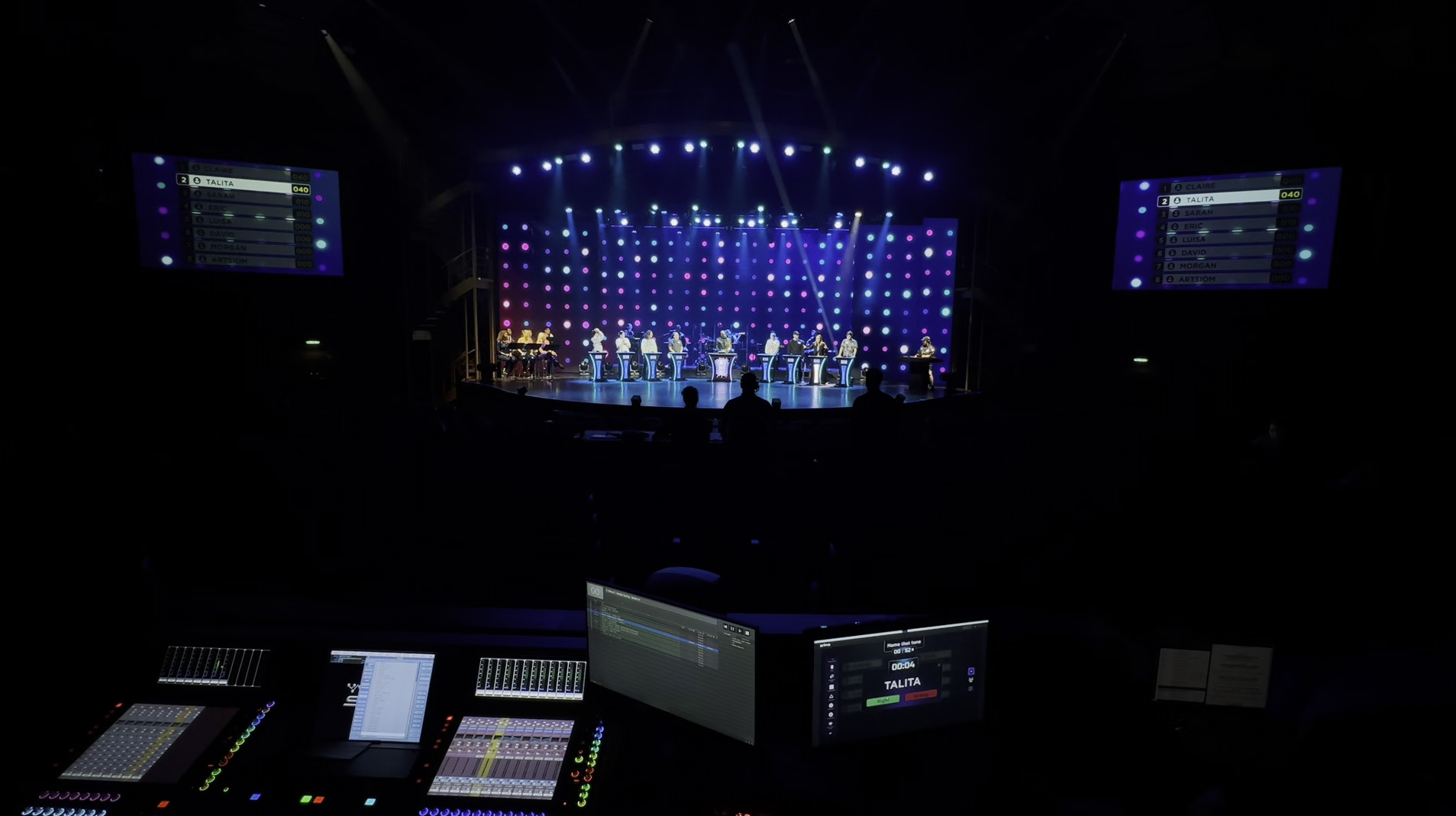
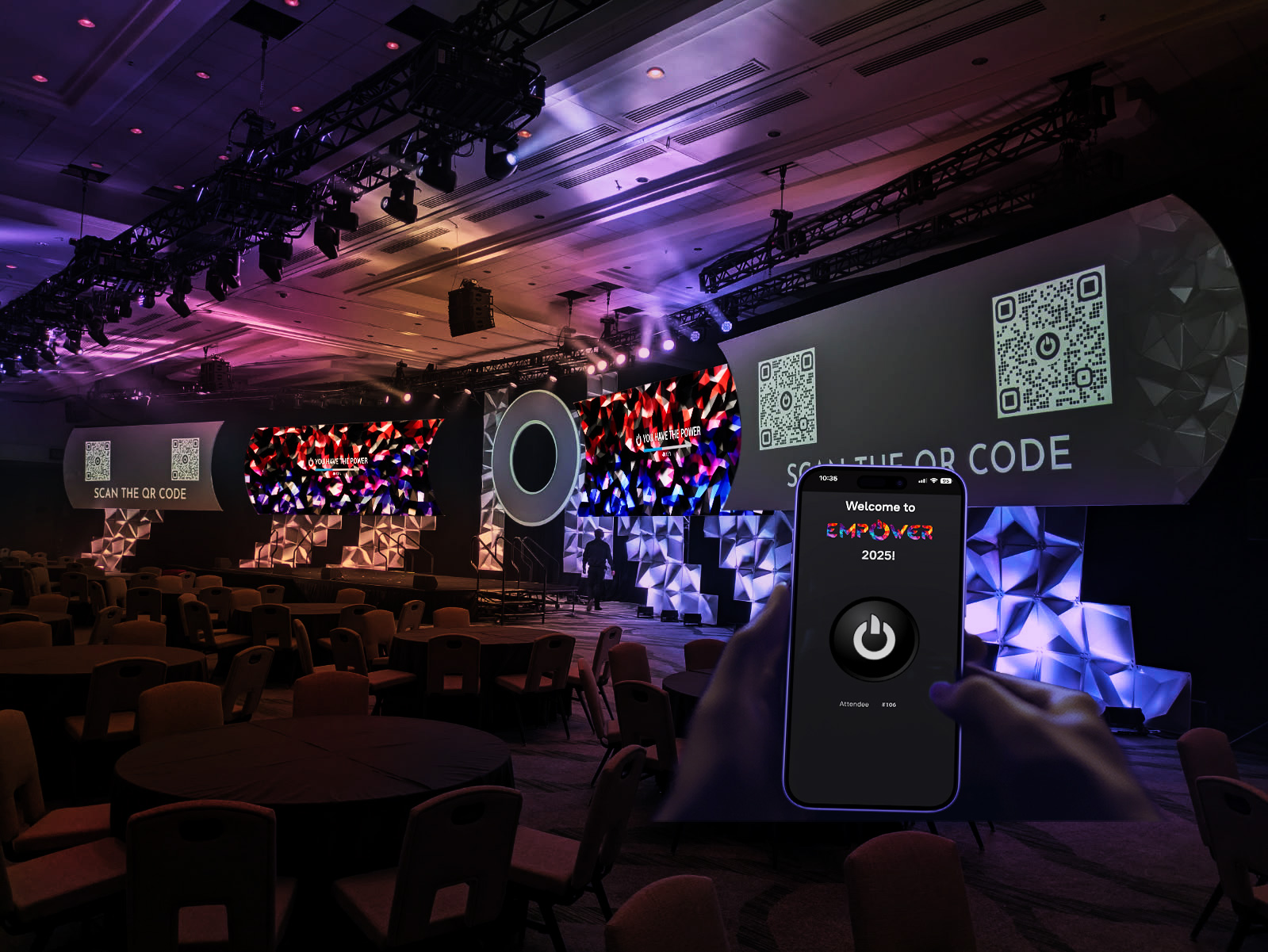
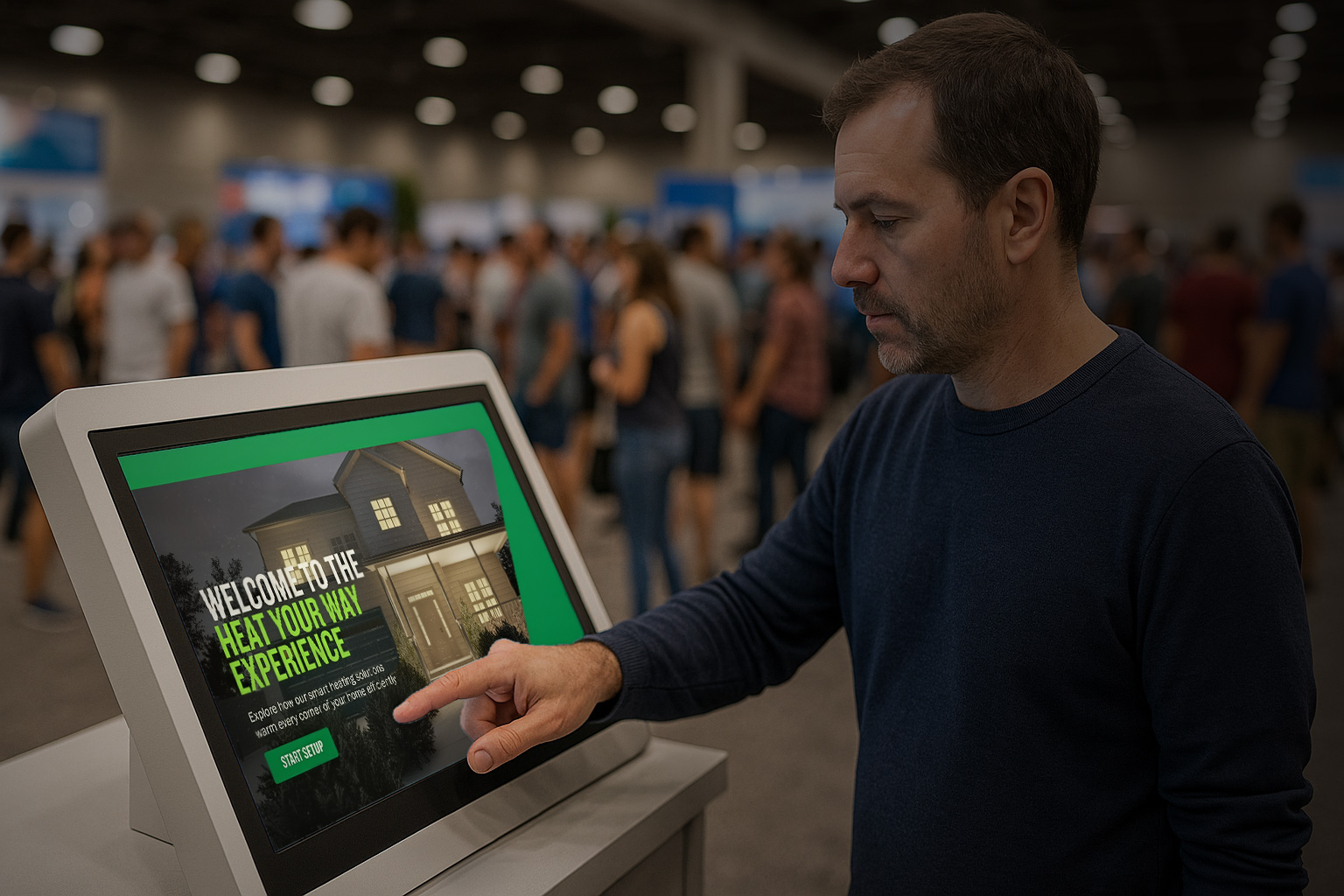
xRLive already powers experiences for global brands and cruise lines — from automated game shows to audience-powered openers.

Merck — Empower 2025 openerAudience experience

Merck

Empower 2025 opener

Attendees scanned a QR code and tapped to light a giant display. Shapes stayed lit only with collective participation — when the screen filled, xRLive triggered the opening video.

Royal Caribbean — AI Image CompetitionAudience experience

Royal Caribbean

AI Image Competition

Guests join from their phones, type a prompt and see AI images appear live. They compete and vote; xRLive scores everything and crowns the winner — brand-safe with pre-seeded prompts.

TACO — Heat Your Way kioskBrand activation

TACO

Heat Your Way kiosk

An interactive trade-show kiosk where guests design a home heating system with TACO products and watch it work in 3D in real time — equipment in the basement, each room warming.

Solutions by industry

Built for the rooms you fill

The same engine flexes to every kind of live audience — from a cruise theater to a festival main stage to a corporate ballroom.

Cruise & resorts

A live visuals library, one operator

Generative visuals your staff can run in any venue — plug into any screen, theme it for the night, and go.

Concerts & festivals

Audio-reactive worlds on the main screen

Turn tracks into synchronised 3D worlds — visuals that lock to the beat and hit with the music, all night.

Corporate & brand

Openers and activations people remember

Branded openers, camera-driven kiosks and interactive product moments — on-theme and on-message.

Esports & broadcast

Real-time graphics that react

Drive reactive graphics and big-screen moments from one operator — NDI straight into your video chain.

Theaters & attractions

Show control that plays every night

Repeatable, professional shows with visuals locked to your timecode — consistent on every performance.

Something else?

If it has a screen and an audience, xRLive can drive it. Download it and see for yourself.

Download & try it
Built for real production

The only real-time show engine that does all of it

Generative visuals, audio and camera reactivity, timelines and pro output integration in one plug-and-play workflow — so your team finds efficiencies instead of complexity.

Presets & OSC control

Save any look as a preset and fire it live — by hand or over OSC from any console or device on the network.

NDI & timecode

Send the output over NDI into any video chain, and slave playback to MTC or Art-Net timecode so visuals stay locked to the show clock.

One operator, every screen

The operator window drives frame-locked fullscreen outputs on any display — what you preview is exactly what the stage shows.

Timelines & sequences

Cue compositions with keyframes and per-parameter transitions, layer them into sequences, and bake to video when you want a rendered pass.

Always up to date

New versions download in the background — one click to restart and update, with full documentation kept current with every release.

Made for live, not takes

Repeatable, consistent shows that fire on cue — built for the reliability a live audience demands.

Try it free

Download xRLive, run free visuals and see it on your own screen — no account, no sales call. Build a show this week.

Download & try freeFree · macOS & Windows

Go deeper

The docs cover the whole platform — visuals, controls, timelines, outputs and the SDK for building your own content.

Read the docs For operators & creators
FAQ

Questions, answered

xRLive is free to download and use. The built-in AI assistant comes with starter credits, and you can buy more inside the app when you need them — that’s the whole model right now.

Still have a question? Email admin@xrlive.tv.

Download xRLive

Free to download. Yours to run.

Download xRLive and put a visual on your own screen in minutes. No account needed to download — sign in inside the app when you’re ready.

  1. 1Download and run the installer for your platform
  2. 2Launch xRLive and sign in — email or Google, right inside the app
  3. 3Put a visual on your screen and go live

Get the app

Download for macOSApple Silicon · .dmgDownload for WindowsWindows 10/11 64-bit · .exe

xRLive is free. The built-in AI comes with starter credits — top up inside the app when you need more.

  • macOS: signed and notarized — installs clean on Apple Silicon Macs.
  • Windows: not code-signed yet — if SmartScreen appears, choose “More info” → “Run anyway”.